Claude Agent SDK Part 4: Implementing Context Profiles
Building context profiles and usage tracking that works with the SDK's design.
- David Gérouville-Farrell
- 6 min read
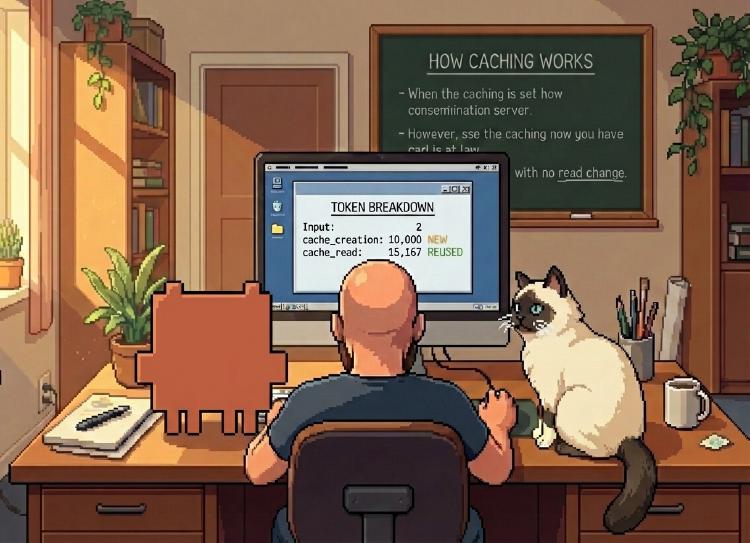
In Part 3, I discovered I couldn’t have perfect control over the conversation history with the Agent SDK. Today I’m implementing two things: a context profile that persists across conversations, and usage tracking so I can see exactly what’s happening with tokens.
Understanding the Usage Dict
Before building anything, I needed to understand what the SDK actually tells us about token usage. After each query, ResultMessage.usage contains:
{
    'input_tokens': 3,
    'output_tokens': 72,
    'cache_creation_input_tokens': 6065,
    'cache_read_input_tokens': 12834,
    'service_tier': 'standard',
    'cache_creation': {
        'ephemeral_1h_input_tokens': 0,
        'ephemeral_5m_input_tokens': 6065
    }
}
Here’s what each field means:
| Field | What it measures |
|---|---|
input_tokens |
Tokens after the last cache breakpoint (not cached) |
cache_creation_input_tokens |
Tokens newly added to cache this turn |
cache_read_input_tokens |
Tokens reused from cache |
output_tokens |
Tokens Claude generated |
So - new tokens this turn = input_tokens + cache_creation_input_tokens
Everything in cache_read_input_tokens was already sent in a previous turn and is being reused.
What it looks like in practice
If I send a 10,000 token file to Claude, I want to see “10,000 tokens” - but only cache_creation_input_tokens shows that, and only on the first turn. After that, the file moves to cache_read_input_tokens. So building up a picture of what context you’re using takes a few steps.
cache_read_input_tokens= content already in your context from previous turnsinput_tokens + cache_creation_input_tokens= content you’re adding this turn
When you add a file on turn 1, it shows up in cache_creation (new content being cached). On turn 2, that same file is in cache_read because Claude is efficiently reusing it - you’re not “adding” it again, you’re just continuing the conversation with it already there.
So input_tokens + cache_creation_input_tokens correctly answers: “How much new content did I add this turn?”
Why Some Tokens Get Cached and Others Don’t
Anthropic’s caching has minimum size requirements:
- Sonnet 4.5, Sonnet 4, Opus 4.1, Opus 4: 1,024 tokens minimum
- Haiku 4.5, Opus 4.5: 4,096 tokens minimum
Short messages like “hi” (2 tokens) fall below the threshold, so they appear in input_tokens rather than cache_creation_input_tokens. Large content like system prompts and files get cached; small messages don’t.
The ~15k System Prompt
When I first ran my agent, I noticed ~15k tokens showing up in cache_read_input_tokens even on the first turn. This is Claude Code’s system prompt - the baseline overhead of using the Agent SDK. Your content sits on top of this.
Once I understood this, the numbers made sense:
- First turn: system prompt goes into cache (cache_creation ~15k)
- Subsequent turns: system prompt comes from cache (cache_read ~15k)
- My content shows up in cache_creation when first sent, cache_read when reused
Building the UsageTracker
I built a UsageTracker class that shows a per-turn breakdown:
def format_verbose(self, baseline_cache: int = 0) -> str:
    user_cache_read = max(0, self.cache_read_tokens - baseline_cache)
    lines = [
        f"  input: {self.input_tokens} (uncached) + {self.cache_creation_tokens} (newly cached) = {self.new_tokens} new tokens",
        f"  cache: {user_cache_read} tokens reused from previous turns" + (f" (+{baseline_cache} system prompt)" if baseline_cache > 0 else ""),
        f"  output: {self.output_tokens} tokens",
        f"  cost: ${self.cost_usd:.4f}",
    ]
    return "\n".join(lines)
Here is what it looks like in practice:
User: hello
Assistant: Hello! How can I help you today?
  input: 2 (uncached) + 0 (newly cached) = 2 new tokens
  cache: 0 tokens reused from previous turns (+15187 system prompt)
  output: 77 tokens
  cost: $0.0121
This tells me:
- I added 2 new tokens (“hello”)
- The ~15k system prompt is coming from cache
- Claude generated 77 tokens in response
- This turn cost about 1.2 cents
The ContextStore
Now for the context profile feature. I wanted a way to add files or snippets that persist across conversation resets - things like “always know about my blog structure” or “here are my writing guidelines.” Or sometimes I have a few context items that combined are too large for the window - this let’s me manage which ones are sent so I can (e.g.) fact check against a text, a transcript, etc etc one at a time on the same piece of work.
@dataclass
class ContextItem:
    path: str
    content: str
    enabled: bool = True
    tokens: int = 0  # Populated after injection

class ContextStore:
    def __init__(self):
        self.items: list[ContextItem] = []

    def add(self, path: str) -> ContextItem:
        content = Path(path).read_text()
        item = ContextItem(path=path, content=content)
        self.items.append(item)
        return item

    def get_enabled_content(self) -> str:
        parts = []
        for item in self.items:
            if item.enabled:
                parts.append(f"[FILE:{item.path}]\n{item.content}")
        return "\n\n".join(parts)
When you start a new conversation, enabled context items get injected automatically with a simple acknowledgment request.
The Two-Loop Pattern
Because I want to be able to start a new conversation and send in the context automatically, I needed to rewrite my main loop. The main loop structure now handles both conversation flow and session resets:
# Outer loop: creates fresh client/session
while True:
    async with ClaudeSDKClient(options=options) as client:
        # Inject context at session start
        context_block = context_store.get_enabled_content()
        if context_block:
            await client.query(f"[CONTEXT]\n{context_block}\n[/CONTEXT]\nAcknowledge briefly.")

        # Inner loop: conversation turns
        while True:
            user_input = await get_input()

            if user_input in ("clear", "new"):
                break  # Break inner loop, outer creates new client

            # Normal conversation...
            await client.query(user_input)
This gives me:
- Session persistence: Context stays loaded within a session
- Clean resets: “clear” starts fresh but re-injects enabled context
- Granular control: Toggle or remove context items as needed
The /usage Command
For a quick session overview:
/usage
Session Usage Summary
----------------------------------------
  Turns: 5
  Total input tokens: 89,432
  Total output tokens: 1,847
  Cache efficiency:
    - Created: 12,543 tokens
    - Read: 76,889 tokens
    - System prompt: ~15,187 tokens (baseline)
  Total cost: $0.1823
----------------------------------------
What I Learned
-
No single variable tells the whole story: You can’t just look at one field to see “how many tokens did I send.” You need to understand the relationship between
input_tokens,cache_creation_input_tokens, andcache_read_input_tokensto build the full picture. -
Caching thresholds vary by model: Sonnet needs 1,024 tokens minimum to cache; Haiku 4.5 and Opus 4.5 need 4,096. Small messages won’t cache regardless of what you do.
-
You can’t delete from context, but you can curate: The Agent SDK doesn’t let me surgically remove items from the conversation. But I can manage what context goes into the next conversation - which is good enough for my workflow.
What’s Next
The writing agent now has:
- Token visibility per turn
- Session cost tracking
- Persistent context profiles
- Clean session management
Next time I want to tackle template handling - having the agent create and manage a work-in-progress blog post file.
The Agent SDK has file checkpoint features that let you roll back changes to previous states - but only when using the Write, Edit, and NotebookEdit tools (not Bash). I’ll be exploring how to create a new post, edit it iteratively, and take advantage of those checkpoints for version control.
This is Part 4 of my series on learning the Claude Agent SDK. Part 1 covers initial exploration, Part 2 builds the first working agent, and Part 3 dives into conversation history.