Open Swimcast
Another little app I only built because it was essentially free to build - this one gets my podcast feed onto a pair of underwater swimming headphones.

- David Gérouville-Farrell
- 3 min read
Here’s another in my series of little Jevons apps - apps I only built because the cost of doing so was essentially free. This time the situation is trying to find a way to listen to podcasts underwater.
I looked online to see how people do this, and as far as I can tell there isn’t a good solution. There’s a custom Android underwater tablet, about the size of an Apple Watch, that you strap to the back of your goggles and plug waterproof headphones into - customer reviews basically indicate it’s a very low quality product. There are also devices that transmit radio waves to a receiver on your headset, and the receiver can be plugged into with underwater headphones. That’s fine, but then you have to put your phone near the pool so the signal can be broadcast, and I don’t want to leave my phone exposed at the poolside.
I was basically thinking there wasn’t a solution. Then my wife, knowing I was trying to do this, bought me these underwater MP3-player headphones. They’re great - I love these headphones. But they don’t support podcasts, they support music. You drag MP3 files onto the disk when you plug the headphones into your computer, and then when you switch the headphones on, they play what’s on their hard drive.
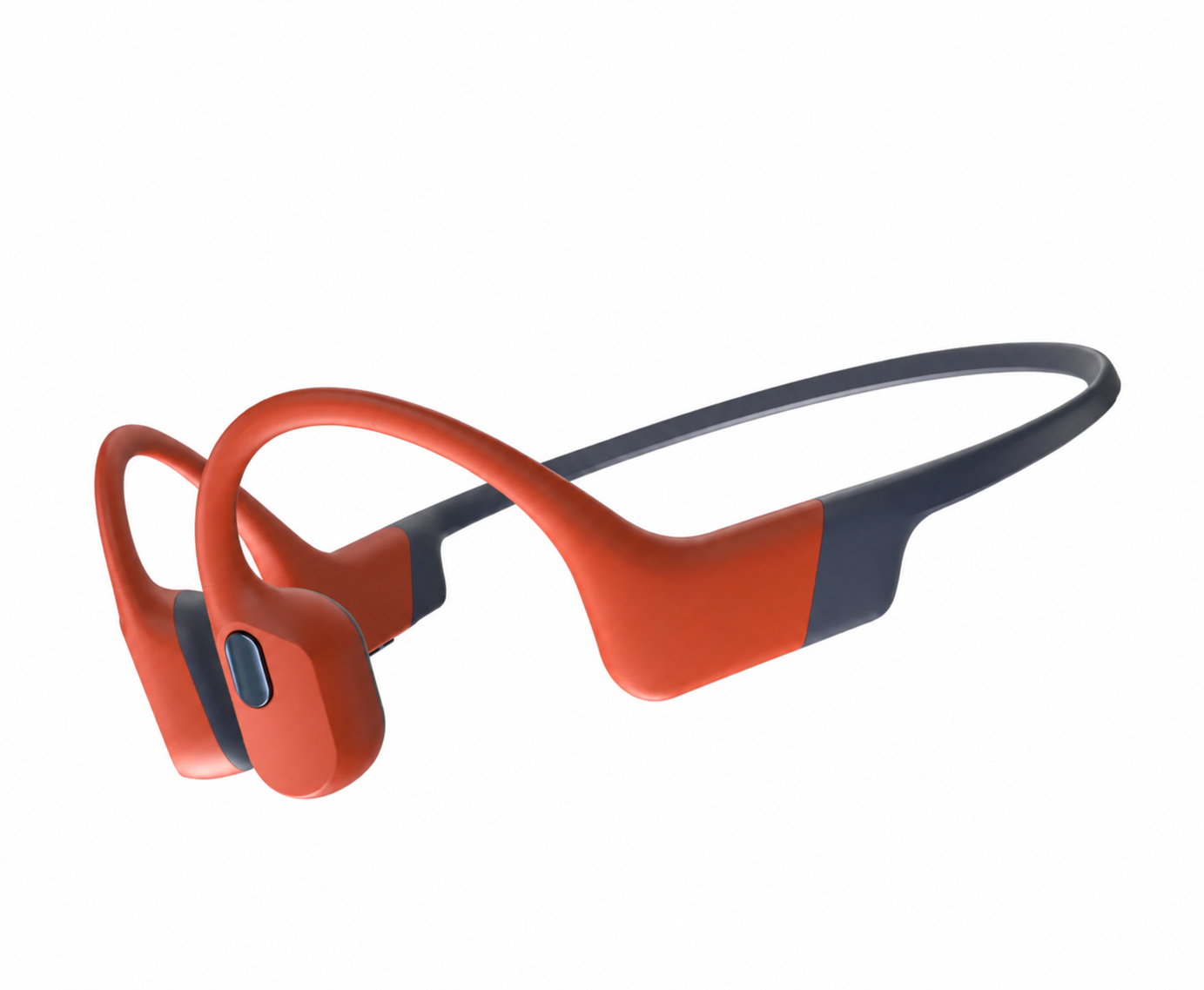
The underwater bone-conduction headphones - great for music, but no podcast support
The problem is that podcasts aren’t really a drag-and-drop medium. They’re a feed-based medium, and I want to synchronise with whatever I’m already listening to on my phone. I don’t want to manually figure out the URL of the MP3s, download them, and so on - it’s just too much faff.
However, I have Claude Code. And I have motivation. And if you’ve got Claude Code and you’ve got motivation, you can build a lot of cool things.
The app I use for podcasts is called Pocket Casts. Pocket Casts is cross-platform - you can listen on your phone, and you can listen in a web browser. And because there’s a web browser version, that means there’s an API, documented or not. So I was able to build this little app. I’m calling it Open Swimcast.
Open Swimcast logs into my podcast feed and lets me choose which podcasts I want to listen to, selecting the ones I want to hear in my next swim.
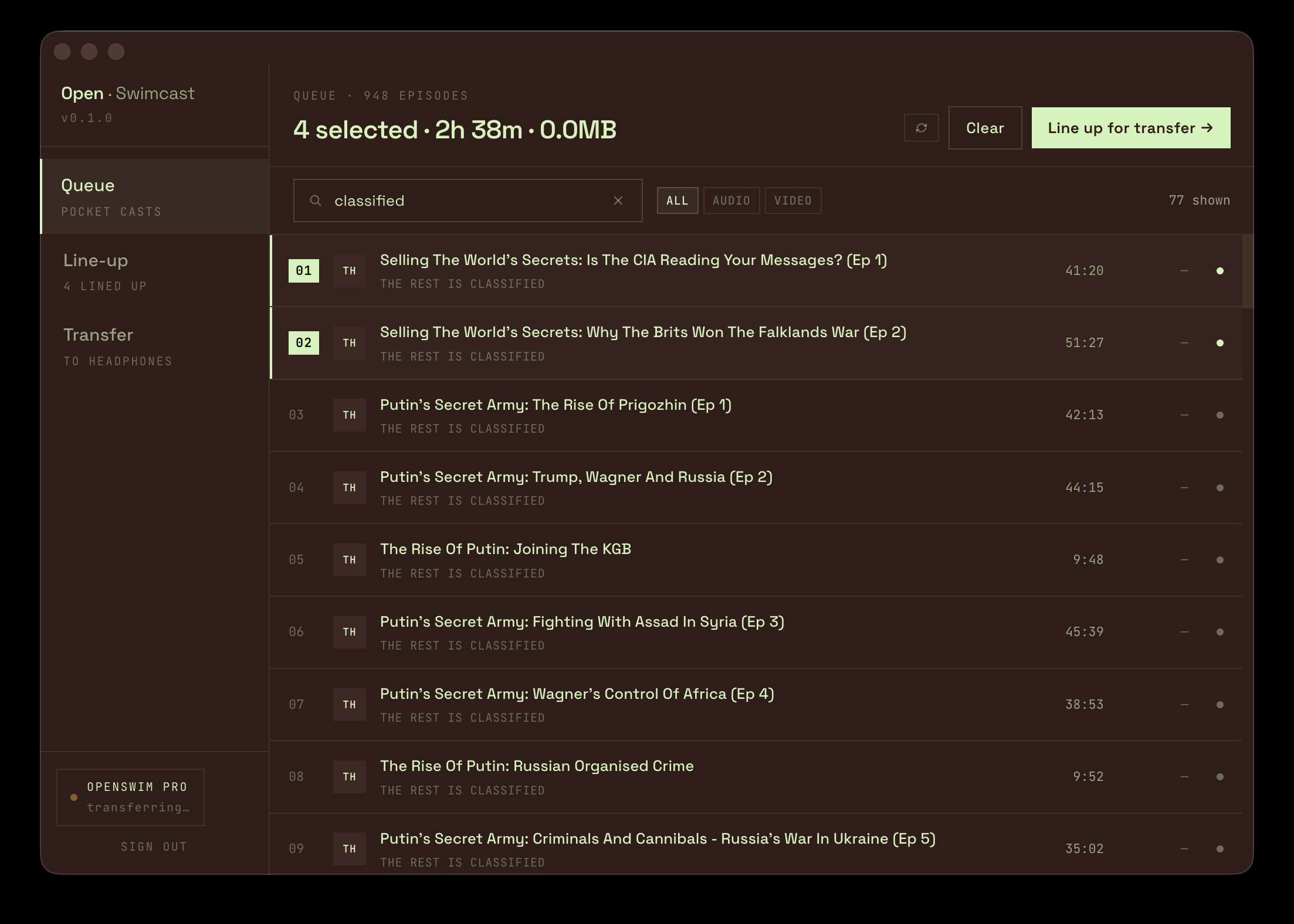
My Pocket Casts feed, picking episodes for the next swim
Then I go to the preparation screen, where I can choose settings like volume boost, speed-up, and text-to-speech generated announcements.
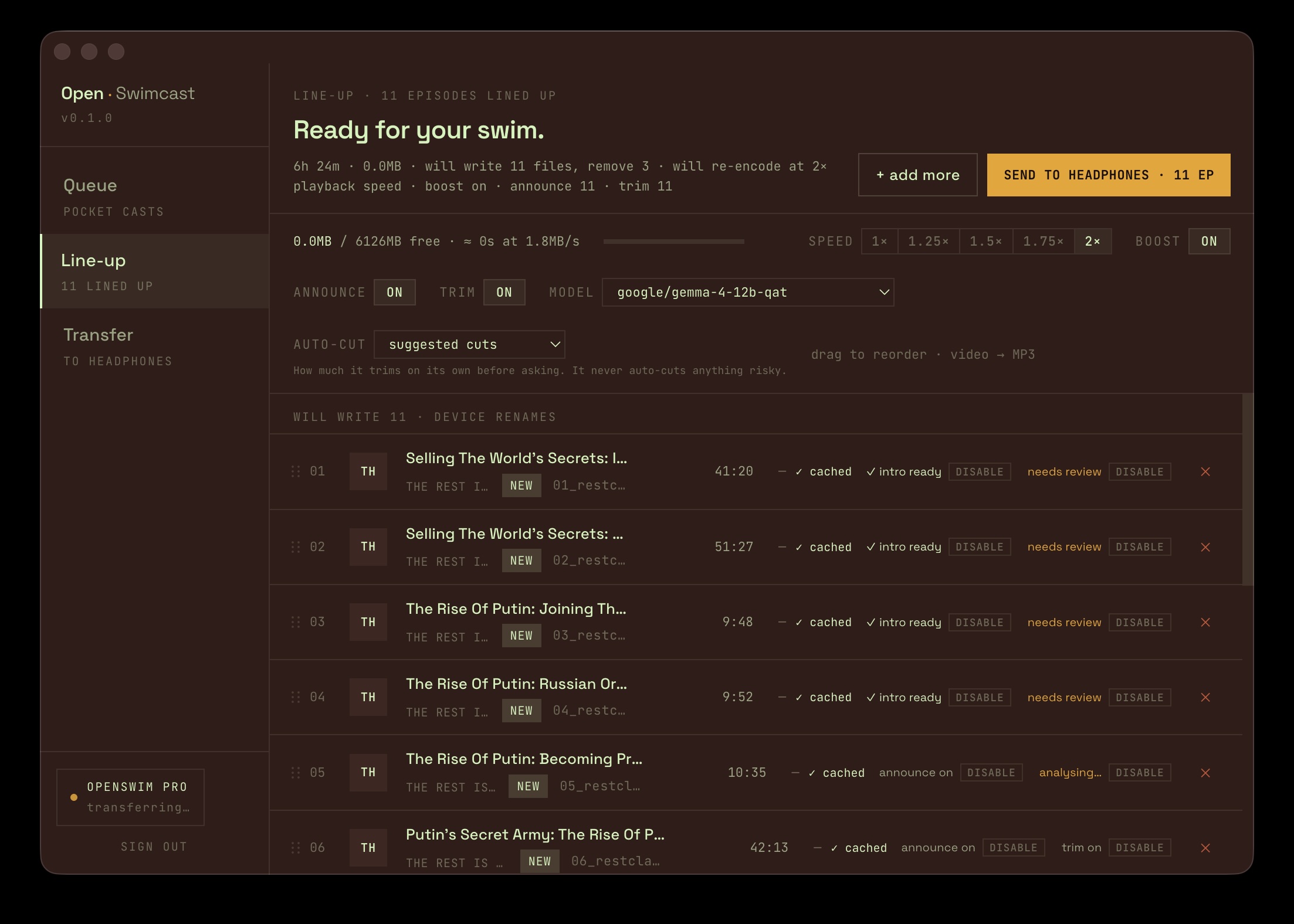
The preparation screen - boost, speed, spoken announcements, and ad trimming
I can even run the transcription of each podcast through a little pipeline I built that identifies and strips ad breaks. I don’t mind ads in my podcasts, but I listened to This Week in Tech the other day underwater and there was a solid eight-minute advert - and I’m not doing that.
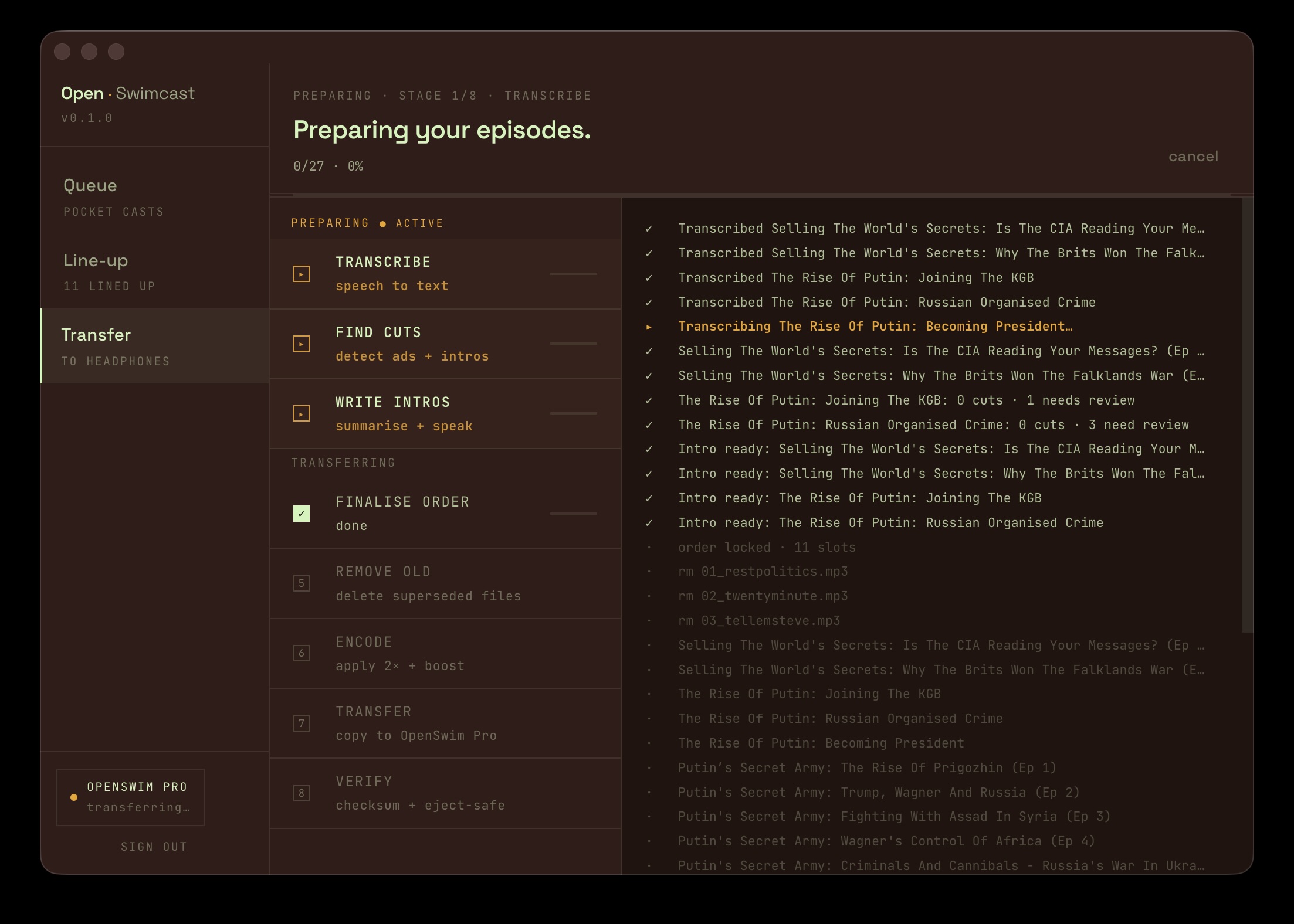
Each episode runs through the pipeline - transcribe, find ad breaks, re-edit, encode, and copy to the headphones
So far I’ve probably spent more time playing with the app than I have swimming, but it’s early days and I’m highly motivated now that I’ve got my ability to keep listening underwater. It’s actually a lot of fun.
There’s a wee video below if you want to see how it looks in practice.
- Tags:
- AI
- Coding
- Side-Projects